Risk Assessment Automation: Common Questions Answered
-
 Balachandran Sivakumar
 - 30 Apr, 2026
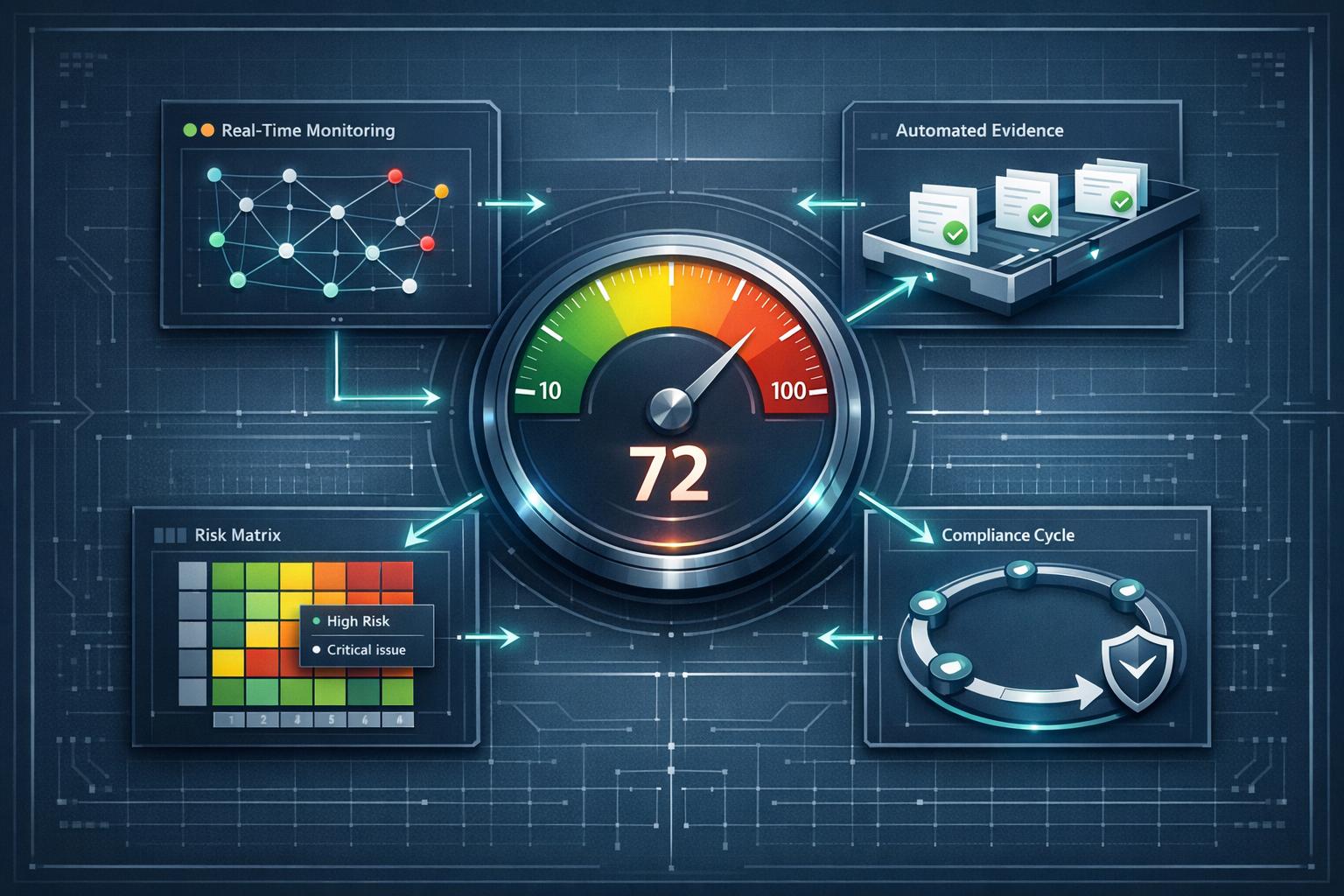
Managing compliance manually is outdated and inefficient. Automated risk assessment tools are transforming how organisations handle frameworks like ISO 27001, SOC 2, and GDPR. Here’s why automation is becoming indispensable:
- Time Savings: Automation cuts manual tasks by up to 60%, such as reducing security questionnaire completion times from 12-18 hours to a fraction of that.
- Real-Time Updates: Continuous monitoring ensures risks are identified and addressed immediately, not during periodic reviews.
- AI Advantages: AI tools provide proactive risk identification, auto-fill up to 90% of standardised assessments, and reduce decision-making time from days to minutes.
- Scalability: Automation enables managing multiple frameworks without expanding teams.
Key features to look for include automated risk scoring, evidence collection, real-time reporting, and continuous monitoring. Organisations using these tools report saving hundreds of hours and reducing audit preparation time significantly. Transitioning to automation involves clear goal-setting, choosing the right tools, and integrating systems for seamless compliance management.
Bottom Line: Risk assessment automation isn’t just about saving time - it’s about ensuring compliance, improving accuracy, and staying ahead in a fast-changing regulatory landscape.
What to Look for in Risk Assessment Automation Tools
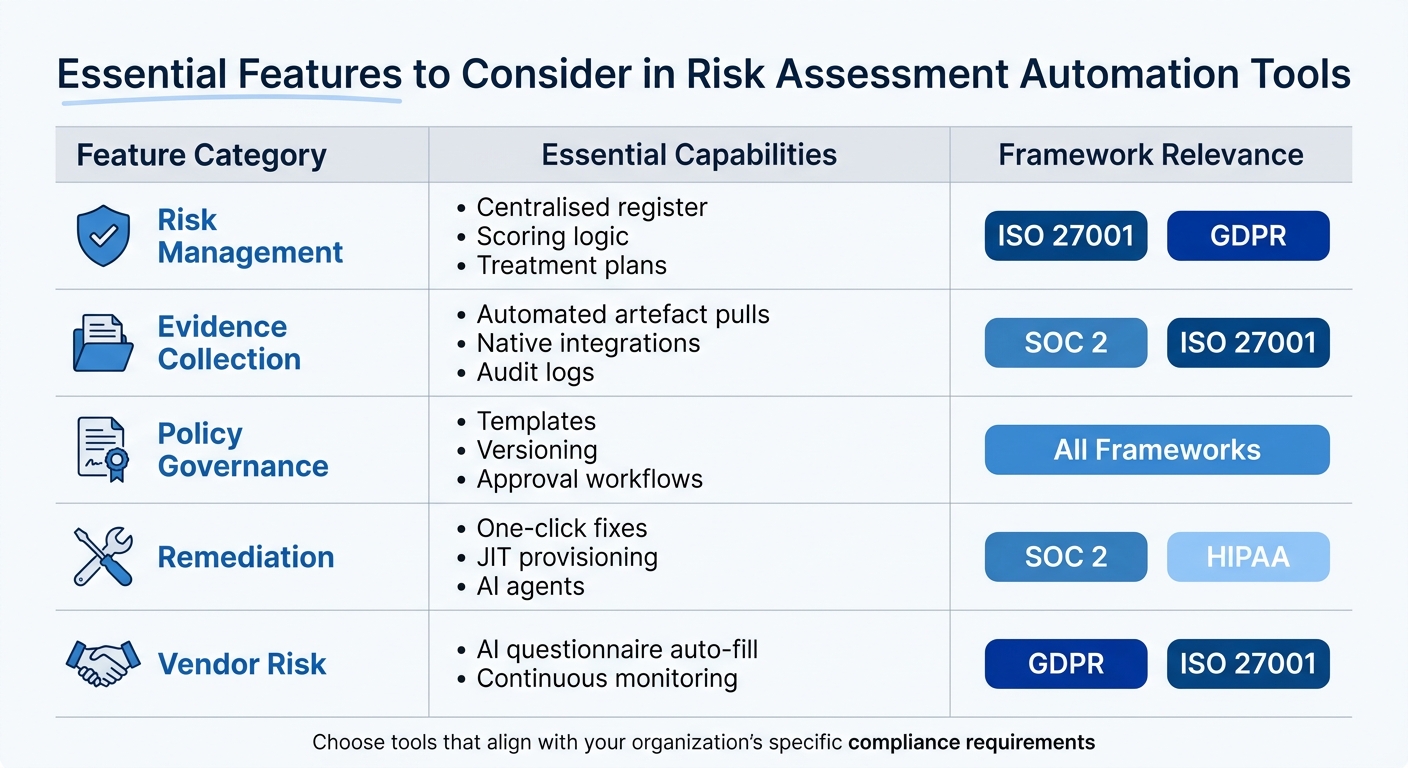
Essential Features of Risk Assessment Automation Tools by Framework
When choosing a risk assessment automation tool, the goal is to simplify compliance without adding unnecessary complexity. The wrong tool can lead to fragmented workflows, while the right one can elevate your Governance, Risk, and Compliance (GRC) processes. Here’s what to focus on when evaluating these tools.
Automated Risk Identification and Scoring
A solid tool should consolidate data from systems, networks, and users, then use AI-powered normalisation to create heatmaps. These heatmaps, based on frameworks like NIST SP 800-30 or ISO 27005, help prioritise risks objectively and eliminate the need for outdated spreadsheets.
Automated scoring is a must. The tool should calculate risk scores by assessing likelihood and impact, providing clear heatmaps that guide remediation priorities. For example, MetricStream uses built-in algorithms to maintain consistent scoring across an organisation.
Workflow and Evidence Collection Automation
Look for tools that can automatically generate evidence artefacts for frameworks like SOC 2, ISO 27001, GDPR, and HIPAA. Advanced platforms can produce over 1,00,000 evidence artefacts by pulling data from systems like AWS, Azure, GitHub, and Okta. This automation saves time and ensures compliance at scale.
Pre-mapped controls are another critical feature. These allow you to address multiple frameworks simultaneously, reducing repetitive work. Customers using modern platforms report saving hundreds of hours through integrations with systems like Jira, Slack, and GitHub.
AI-driven remediation is another game-changer. Teams have used AI-native platforms to replace years of legacy compliance tooling in a matter of days, and to shrink multi-hour compliance tasks to minutes by pre-filling questionnaires with traceable, verified data.
Continuous Monitoring and Real-Time Reporting
Replace periodic assessments with continuous monitoring. The ideal platform should provide 24/7 tracking of activities, logs, and alerts to ensure controls remain effective. A strong control monitoring layer captures live evidence and aligns it with standards like ISO 27001 Annex A.
Real-time dashboards and alerts highlight control gaps for immediate action. Whether it’s generating ISMS reports or responding to auditor requests, these capabilities make compliance more efficient.
Essential Features to Consider
| Feature Category | Essential Capabilities | Framework Relevance |
|---|---|---|
| Risk Management | Centralised register, scoring logic, treatment plans | ISO 27001, GDPR |
| Evidence Collection | Automated artefact pulls, native integrations, audit logs | SOC 2, ISO 27001 |
| Policy Governance | Templates, versioning, approval workflows | All Frameworks |
| Remediation | One-click fixes, JIT provisioning, AI agents | SOC 2, HIPAA |
| Vendor Risk | AI questionnaire auto-fill, continuous monitoring | GDPR, ISO 27001 |
Accuracy and Traceability
Every risk score and compliance answer must trace back to verified source documentation. This transparency ensures accuracy and prevents errors in AI-driven systems.
In GRC, getting an answer wrong isn’t just embarrassing. It can damage trust, derail deals, or create real risk.
When evaluating tools, prioritise those that focus on evidence-backed security over flashy, superficial features.
How to Implement Risk Assessment Automation
Switching from manual risk management to automation requires a methodical approach. The focus should be on setting clear goals, selecting the right tools, and integrating systems smoothly to avoid disrupting regular operations.
Define Your Risk Management Objectives
Before diving into automation, it’s crucial to outline your goals. Start by identifying vulnerabilities across IT, operations, and processes. Align these goals with established frameworks like ISO 31000, NIST, or ISO 27001. Define your organisation’s risk appetite, set key risk indicators (KRIs), and assign accountability. Use existing documentation, such as SOC 2 reports, ISO certifications, and security policies, to build your knowledge base.
Establish risk thresholds by deciding what level of risk is acceptable for your business. Develop a scoring system that evaluates risks based on their severity and likelihood.
Risk Management isn’t just another task on the to-do list - it’s the foundation for staying on track.
Once your objectives are clear, the next step is finding the right automation platform.
Select the Right Automation Tool
Opt for platforms that use grounded AI, which relies solely on your organisation’s internal, verified data rather than public sources. This approach ensures accuracy and minimises compliance risks.
Look for tools equipped with semantic analysis to interpret varying compliance terminology. The ability to handle multiple file formats - like Excel, PDF, and Word - is essential. Features like browser extensions or portal agents can enable direct input for third-party assessments on platforms such as OneTrust, ServiceNow, and Coupa. Also, ensure the tool can map risks, controls, and evidence to specific frameworks like ISO 27001 Annex A or SOC 2 Trust Services Criteria.
Organisations using automated GRC tools have reported cutting compliance management time significantly. Beyond saving time, a strong automation tool ensures ongoing compliance and simplifies risk assessments.
Integrate Data Sources and Set Up Controls
Once you’ve chosen the right tool, focus on integrating your data sources to enable seamless monitoring and control. Start by auditing your data assets to locate sensitive information and map out data flows across systems, teams, and external partners. Centralise your evidence by connecting compliance tools and content systems into a unified, audit-ready repository.
Implement real-time monitoring to classify and track data as it changes. Use Change Data Capture (CDC) to update only modified records. Map identified risks and controls to frameworks like ISO 27001, SOC 2, or GDPR to detect gaps and ensure consistency.
Test automation rules in a sandbox environment. Assign clear ownership for each data domain and establish approval workflows for control updates. Schedule quarterly reviews to keep policies and certifications aligned with your current infrastructure.
Automation isn’t just about saving time; it’s about eliminating human error, ensuring consistent application of data protection policies, and enabling your team to focus on more high-level strategic tasks.
Always include a human review process - security teams should validate AI-generated outputs to address any context-specific nuances. Thoroughly document your data pipelines to make troubleshooting easier in the future.
Common Challenges in Multi-Framework Compliance Automation
Even with a robust automation platform, organisations often face significant hurdles when managing compliance across multiple frameworks. These challenges arise from disconnected systems, the complexity of managing third-party risks, and the necessity to scale operations as regulations evolve.
Dealing with Fragmented Tool Ecosystems
When evidence is scattered across emails, file shares, and local folders, it leads to “spreadsheet chaos”. This fragmentation makes it nearly impossible to maintain a single source of truth during audits. Version control becomes a recurring issue, and teams end up duplicating efforts across frameworks.
A practical solution is to implement a unified control library. Instead of treating each compliance framework as a separate entity, organisations can map a single security control - like multi-factor authentication or database encryption - across multiple standards simultaneously.
Managing Third-Party Risk Complexity
Vendor assessments often become bottlenecks when managed manually. The process is particularly cumbersome when vendors require submissions through specific portals like OneTrust or ServiceNow, which don’t support standard file uploads. This forces teams to manually copy and paste hundreds of responses.
AI-powered tools can automate up to 90% of questionnaire responses. Additionally, setting up a Trust Centre allows prospects to access certifications and security documentation on their own, significantly reducing the number of manual requests.
Scaling for Continuous Compliance
Point-in-time audits are no longer enough. Today’s organisations require continuous monitoring to identify when controls - such as firewall rules or encryption settings - deviate from compliance.
AI-driven platforms solve this by integrating directly with infrastructure via APIs, capturing real-time configuration states and logs from services like AWS, Azure, Okta, and GitHub. This approach shifts compliance from a documentation-heavy, periodic activity to an always-on process.
Integrated, cross-domain risk management was once a best-practice. It’s now a requirement.
Organisations that embrace continuous compliance automation often experience fewer audit findings compared to manual methods and improve audit readiness.
Measuring and Improving Automated Risk Assessment
Metrics to Track Automation Effectiveness
The success of automated risk assessment depends heavily on tracking the right metrics. Advanced AI-powered platforms often achieve auto-fill rates ranging from 70% to 90%, cutting the time needed for a first draft from hours to mere minutes.
Operational speed is another critical area to measure. Metrics like Mean Time to Detect (MTTD) and Mean Time to Respond (MTTR) play a key role. For audit readiness, tracking the percentage of automated versus manual controls and the frequency of control failures over time can reveal whether automation is genuinely reducing risk.
Third-party risk management also needs careful monitoring. Key indicators include the average time required to identify and address vendor risks and the percentage of vendors lacking up-to-date security reviews.
Maintaining Continuous Compliance
Efficiency metrics are just the beginning. Continuous compliance ensures that the benefits of automation lead to sustained improvements in risk management. Instead of relying on static reports, real-time dashboards now provide leadership with instant visibility into risk exposure and the effectiveness of controls.
The institutions that automate their risk assessments now will have better risk oversight… The ones that stick with annual spreadsheets will keep discovering their biggest risks in the rearview mirror.
Regular updates, such as quarterly reviews, help keep documentation aligned with evolving systems and regulations. Organisations can also set incremental goals, like reducing MTTR by 15% each quarter, to ensure steady progress over time.
Real-World Examples of Automation Success
Practical examples demonstrate the transformative power of automation. Financial and SaaS teams have shifted from disorganised spreadsheets to centralised systems that automate risk assessments and evidence collection, reducing audit preparation timelines from weeks to near-instant dashboard generation.
Conclusion
Key Takeaways on Risk Assessment Automation
AI-driven risk assessment is changing compliance from reactive to proactive. Automation reduces manual effort, improves consistency, and helps teams focus on critical analysis and decision-making instead of repetitive data entry.
Human oversight remains essential. AI is a tool to aid decision-making, not replace it. Companies that centralise documentation, update knowledge bases regularly, and roll out AI solutions in phases tend to see faster results.
Next Steps for Compliance Teams
Start by consolidating key documents - SOC 2 reports, ISO certifications, privacy policies, and recent questionnaires - into a single knowledge base. This enables AI tools to provide consistent, pre-approved responses across frameworks and departments.
For teams managing portal-based assessments, choose tools with browser extensions to eliminate manual copy-pasting into vendor portals. Set up quarterly reviews to keep your knowledge base current and aligned with your infrastructure. Finally, invest in upskilling your compliance team to work effectively with AI.
Tools like CISOGenie can help by offering AI-native features that support faster audits and continuous compliance across multiple frameworks.